- Home Page /
- Electronics /
- Computer Accessories /
- Networking Products /
- Network Adapters /
- Bluetooth Network Adapters /
- TP-Link USB Bluetooth Adapter for PC - Blueto...
0 ratings




Item #:
40714552
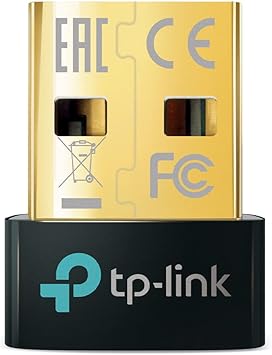
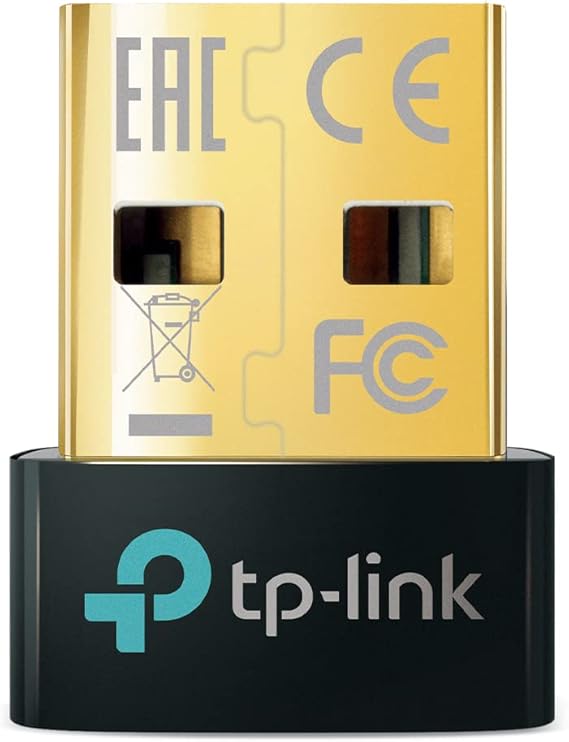
TP-Link USB Bluetooth Adapter for PC - Bluetooth 5.4 Dongle Receiver, Plug and Play, Nano Design, EDR & BLE, Supports Windows 11/10/8.1/7 for
Item #:
40714552
XCD 58
Price Details
Excluding Shipping & Custom charges ( Shipping and custom charges will be calculated on checkout )
*All items will import from US
11%
In stock
 Imported from USA store
QTY:
Order now and get it around Thursday, June 18
Secured transaction
Ubuy works hard to protect your security and privacy. Our advanced payment security system ensures confidentiality by encrypting your information during transmission using AES (Advanced Encryption Standards) and SSL (Secure Socket Layer) protocols. Your payment details are 100% secure as we do not share your payment details with third party sellers.
Our Top Logistics Partners


UB500 turns non-Bluetooth PC, desktop or laptop into Bluetooth-capable.

Fast
Shipping

Free
Return*

Secure Packaging

100% Original Products

PCI DSS Compliance

ISO 27001 Certified


Note: Step Down Voltage Transformer required for using electronics products of US store (110-120). Recommended power converters Buy Now.


What Stands Out
Bluetooth 5.3
Delivers faster data transfer and improved energy efficiency, enhancing connectivity for all your devices with the latest standards and reliability.
Plug & Play
Easy installation process allows for immediate use without the need for complicated setup, making it accessible for all users.
Compact Design
Nano size enables seamless portability and prevents obstruction of adjacent USB ports, suitable for both desktops and laptops.
Product Details
- Bluetooth 5.4 + Broad Compatibility - Provides Bluetooth 5.4 plus EDR technology and is backward compatible with Bluetooth V5.3/5.0/4.2/4.0/3.0/2.1/2.0/1.1.
- Faster Speed, Extended Range - Get up to 2x faster data transfer and 4x broader coverage compared to Bluetooth 4.0 — perfect for smooth audio streaming and stable connections.
- EDR and BLE Technology - This Bluetooth dongle is quipped with enhanced data rate and Bluetooth low energy, UB500 has greatly improved data transfer speed and operates at the optimal rate of power consumption
- Nano-Sized - A sleek, ultra-small design means you can insert the Nano Bluetooth receiver into any USB port and simply keep it there regardless of whether you are traveling or at home
- Plug & Play with Free Driver Support - Plug and play for Windows 8.1/10/11 (internet required). Supports Win7 (driver required and can be downloaded from website for free). Download the latest driver from TP-Link website to utilize Bluetooth 5.4
- Reliable Multi-Device Support - Enables wireless communication with Bluetooth-enabled desktop, printers, phones and headsets. Utilizes Bluetooth low energy technology for energy-saving wireless connectivity
- Compatibility NOTE: UB500 is for Windows PCs only and does not support macOS, Linux, TVs, or Windows 8. Not for direct console use (PS5/PS4/Xbox), but controllers can be connected via PC. Two UB500 cannot pair with each other
- Setup Tip - Disable any existing internal Bluetooth in Device Manager before using UB500 to avoid driver conflicts.
| Hardware Interface | Bluetooth 5 |
| Compatible Devices | Laptop |
| Data Link Protocol | Bluetooth |
| Data Transfer Rate | 2 Megabits Per Second |
| Compatible Operating System Family | Windows |
| Minimum Required Operating System Version | Windows 8 |
| Item Dimensions L x W x H | 0.74"L x 0.58"W x 0.27"H (1.9 x 1.5 x 0.7 cm) |
| Item Weight | 2 Grams |
| Color | Golden,Black |
| Brand | TP-Link |
| UPC | 840030703447 |
| Manufacturer | TP-Link |
| Mfr Part Number | UB500 |
| Model Number | UB500 |
| Unit Count | 1.0 Count |
| Built-In Media | Bluetooth 5.4 Nano USB Adapter UB500, Quick Installation Guide |
| Item Type Name | Bluetooth Adapter |
| Product Dimensions (L x W x H) | 0.74"L x 0.58"W x 0.27"H (1.9 x 1.5 x 0.7 cm) |
What's in the box
Bluetooth 5.4 Nano USB Adapter UB500
Quick Installation Guide
Who Should Buy?

-
Casual Gamers
Ideal for connecting gaming controllers like PS5, PS4, or Xbox to PCs for an enhanced gaming experience.
-
Home Office Users
Perfect for remote workers needing to connect wireless peripherals like keyboards and mice to their desktop or laptop.
-
Music Enthusiasts
Great for those who want to stream music wirelessly from their PC to Bluetooth speakers or headphones seamlessly.

-
Advanced Users
Tech-savvy users may need more robust features and customization options than what this dongle provides.
-
Older Systems
Not suitable for users with outdated operating systems or hardware that might not support Bluetooth 5.3 or newer.
-
High-End Gaming
Competitive gamers requiring low-latency connections may prefer dedicated gaming adapters over standard Bluetooth dongles.
Product Description
Have any Query? Chat with us
Customer Questions & Answers
-
Question:
What devices are compatible with the TP-Link USB Bluetooth Adapter?
Answer: The TP-Link USB Bluetooth Adapter is compatible with a wide range of devices, including laptops, desktops, and other Bluetooth-enabled peripherals. It supports Bluetooth versions up to 5.4 and is specifically designed for Windows 11, 10, and prior versions, ensuring seamless connectivity. You can use the adapter to connect devices like wireless keyboards, mice, headphones, printers, and speakers. Whether working from home or gaming, this adapter enhances your setup by providing reliable Bluetooth connectivity. -
Question:
How do you install the TP-Link USB Bluetooth Adapter?
Answer: Installing the TP-Link USB Bluetooth Adapter is a straightforward process. Simply plug the adapter into an available USB port on your computer, and it will automatically be detected. The plug-and-play feature means that you typically won’t need additional drivers; however, you can visit the TP-Link website for any specific updates. After installation, you can easily connect to Bluetooth devices through the Windows Bluetooth settings, allowing instant access to connecting tools and peripherals. -
Question:
Can the TP-Link USB Bluetooth Adapter transmit audio?
Answer: Yes, the TP-Link USB Bluetooth Adapter can transmit audio to Bluetooth audio devices, such as wireless headphones and speakers. With support for the latest Bluetooth protocols like EDR and BLE, it ensures high-quality sound transmission with minimal latency. This feature is particularly beneficial for those who enjoy listening to music, watching movies, or gaming wirelessly. Just connect your Bluetooth audio device to the adapter, and enjoy a crystal-clear audio experience without the hassle of cables. -
Question:
What are the advantages of using a USB Bluetooth adapter?
Answer: Using a USB Bluetooth adapter like the TP-Link model provides several advantages, such as expanding your computer’s connectivity options. It allows you to connect to Bluetooth devices without needing built-in Bluetooth capabilities. This can be particularly useful for older computers or desktops. Additionally, the nano design of this adapter means it is compact and portable, making it easy to transport while maintaining a strong connection. You can create a wireless connection in any location, enhancing your device's versatility. -
Question:
Does the adapter support Bluetooth 5.4 features?
Answer: Yes, the TP-Link USB Bluetooth Adapter supports Bluetooth 5.4 features, which include improved data transfer rates, longer range, and better energy efficiency compared to previous versions. This enhancement means you can establish stable and fast connections with your Bluetooth devices, making it ideal for activities that require high bandwidth, such as streaming high-definition audio or using wireless peripherals for gaming. It's perfect for users who need reliable performance without interruptions. -
Question:
Is the TP-Link USB Bluetooth Adapter secure?
Answer: The TP-Link USB Bluetooth Adapter utilizes advanced Bluetooth security protocols to safeguard your data during transmission. Features like Secure Simple Pairing (SSP) and the latest encryption methods help protect your devices from unauthorized access. This is crucial for users who frequently connect to various Bluetooth devices in public spaces. You can confidently connect to headsets or keyboards, knowing that your information is maintained securely while you enjoy the convenience of wireless technology. -
Question:
Can the adapter be used with other operating systems?
Answer: While the TP-Link USB Bluetooth Adapter is optimized for Windows operating systems (Windows 11, 10, and older versions), it may have limited compatibility with other operating systems such as macOS and Linux. However, users can find unofficial drivers or community support for setup on these systems. For the best experience, it is recommended to use the adapter with supported Windows systems, so you can take advantage of its full functionality and auto-update features. -
Question:
What is EDR, and how does it benefit users?
Answer: EDR stands for Enhanced Data Rate, a feature supported by the TP-Link USB Bluetooth Adapter that significantly improves data transfer speeds. With EDR enabled, users can achieve faster connections and more efficient data handling when transmitting files or streaming audio. This is particularly beneficial in scenarios where quick data transfer is essential, such as sending large files between devices or enjoying real-time audio without lag. It enhances the overall performance of your Bluetooth experience. -
Question:
What is the range of the TP-Link USB Bluetooth Adapter?
Answer: The TP-Link USB Bluetooth Adapter typically has an effective range of up to 10 meters (33 feet) in optimal conditions. This range allows you to maintain a stable connection with your Bluetooth devices even when you are not directly next to your computer. It enables you to move around your space freely while connected to devices like headphones or speakers. Factors such as physical obstructions and interference from other wireless devices can affect this range, but generally, users will find it reliable for everyday use. -
Question:
Where can I buy the TP-Link USB Bluetooth Adapter in Antigua and Barbuda?
Answer: In Antigua and Barbuda, you can purchase the TP-Link USB Bluetooth Adapter from Ubuy. Ubuy offers a convenient online shopping experience with a wide range of electronic products, including the TP-Link Bluetooth Adapter. You can easily navigate their website to find the product and place your order, enjoying reliable service and product quality.
TP-Link Bluetooth Network Adapters UB500 Editorial Review


No editorial reviews found
Customer Reviews & Ratings
21323 customers ratings
-
5 Star
77%
-
4 Star
11%
-
3 Star
4%
-
2 Star
2%
-
1 Star
6%
Review this product
Share your thoughts with other customers
Product Price History
Important information
- Limitations : For products shipped internationally, please note that any manufacturer warranty may not be valid; manufacturer service options may not be available; product manuals, instructions, and safety warnings may not be in destination country languages; the products (and accompanying materials) may not be designed in accordance with destination country standards, specifications, and labeling requirements; and the products may not conform to destination country voltage and other electrical standards (requiring use of an adapter or converter if appropriate). The recipient is responsible for assuring that the product can be lawfully imported to the destination country. When ordering from Ubuy or its affiliates, the recipient is the importer of record and must comply with all laws and regulations of the destination country.
- Not all the products listed on Ubuy are for sale, as Ubuy is a global search engine. Products are subject to export/trade regulations.
XCD 58
Order now and get it around Thursday, June 18
This item is not restrict in my country.(Please click on above link if this item is not restrict in your country, So our team will review and allow.)
QTY:
Secured transaction
Ubuy works hard to protect your security and privacy. Our advanced payment security system ensures confidentiality by encrypting your information during transmission using AES (Advanced Encryption Standards) and SSL (Secure Socket Layer) protocols. Your payment details are 100% secure as we do not share your payment details with third party sellers.
Our Top Logistics Partners
Fastest cross-border delivery
Features & Benefits
- Highly portable and smaller than a flash drive.
- Plug and play for Windows 8/8.1/10/11 with internet connected.
- Supports latest Bluetooth 5.3 technology with EDR.
- Backward compatible with multiple Bluetooth versions.
- Offers faster speeds and increased coverage compared to Bluetooth 4.0.
- Allows connectivity with a wide range of Bluetooth-enabled devices.